Amazon Product Photography Requirements: Complete 2025 Guide
📑 Table of Contents
- Why Amazon Image Requirements Matter
- Amazon Main Image Requirements (Non-Negotiable)
- Additional Product Images (2-9)
- Lifestyle and Context Images
- Infographic and A+ Content Images
- Technical Specifications (Size, Format, Resolution)
- Common Rejection Reasons and Fixes
- How to Create Amazon-Compliant Images Fast
- FAQ
- Conclusion
Why Amazon Image Requirements Matter
Amazon's image policy isn't arbitrary bureaucracy—it directly impacts your sales and account health.
Impact on Your Business:
1. Listing Visibility Non-compliant images result in:
- Suppressed listings (invisible to customers)
- Lower search rankings (Amazon deprioritizes poor images)
- Ineligible for sponsored ads (can't run PPC campaigns)
2. Sales Performance Compliant, high-quality images lead to:
- 30-40% higher conversion rates
- 20-25% fewer returns (accurate representation)
- Better mobile experience (80%+ of shoppers use mobile)
3. Account Health Repeated violations cause:
- Policy warnings from Amazon
- Account suspension risk
- Lost Buy Box eligibility
💡 Pro Tip: Amazon's algorithm favors listings with complete, compliant image sets. Having 7-9 professional images vs 2-3 can increase your search ranking significantly.

Amazon Main Image Requirements (Non-Negotiable)
The main image (first image in your listing) has the strictest rules. This is what shows in search results.
Mandatory Requirements:
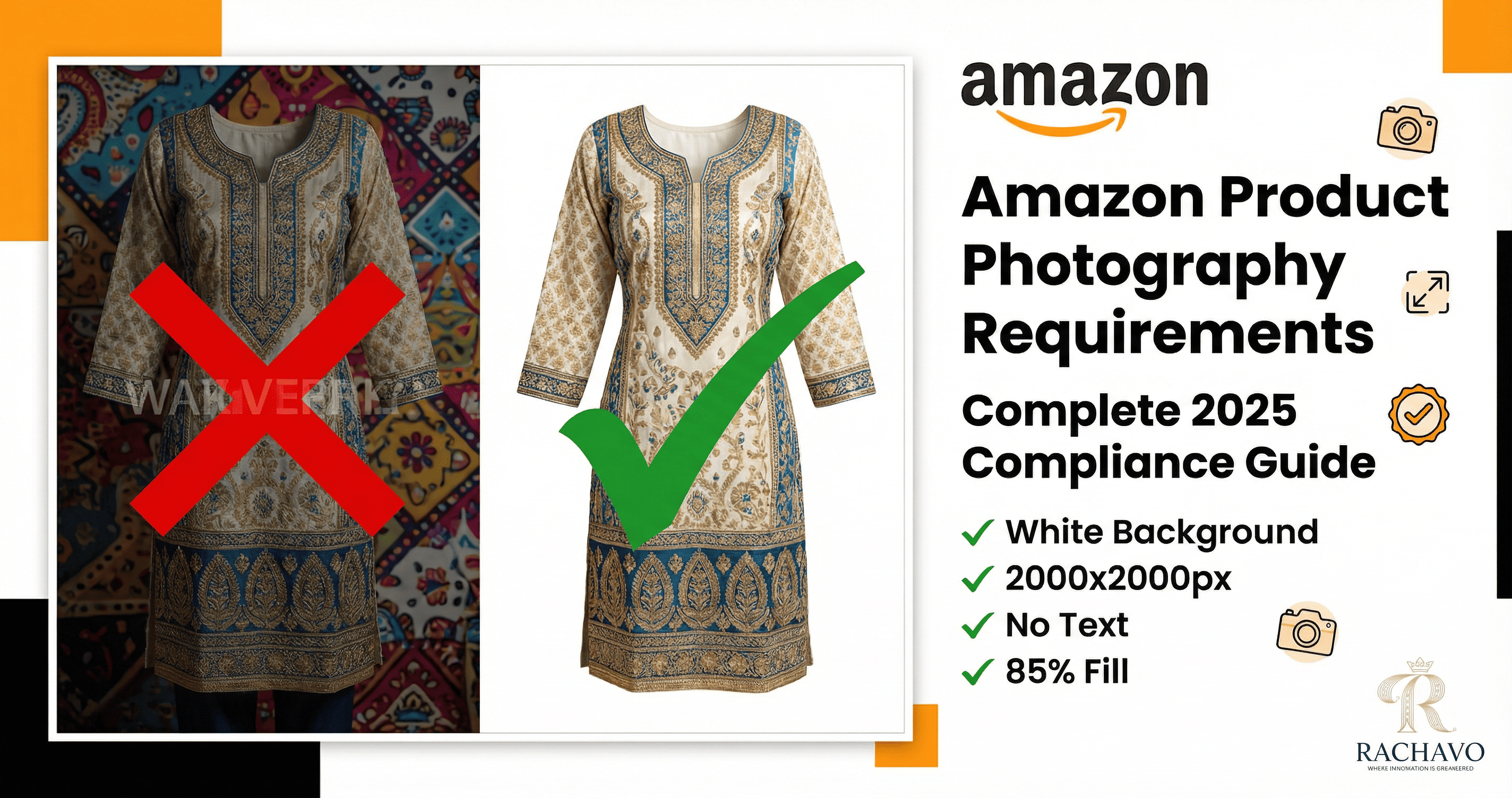
1. Pure White Background
- Exact Color: RGB 255, 255, 255 (pure white, not off-white or cream)
- No Shadows: Product should not cast visible shadows
- No Props: Nothing except the product itself
- No Text: No watermarks, logos, borders, or promotional text
Why: Consistency across marketplace. Amazon wants uniform shopping experience.
2. Product Coverage
- 85% of Frame: Product must fill at least 85% of the image area
- All Visible: Complete product shown (no cropping important parts)
- Centered: Product centered in frame
3. Image Dimensions
- Minimum: 1000 pixels on longest side
- Recommended: 2000 x 2000 pixels
- Maximum: 10,000 pixels
Why 1000px minimum? Enables zoom feature. Products with zoom get 30% higher conversion.
4. Product Only
For fashion:
- On Model: NOT allowed in main image for most categories
- Mannequin: Allowed but mannequin should not be visible (ghost mannequin effect)
- Flat Lay: Acceptable if product is clearly visible
5. One Product
- Single Item: Only ONE product in main image
- Sets Exception: If selling as a set (lehenga + choli), all pieces shown together
6. Actual Product
- No Illustrations: Must be actual photograph, not drawing
- No Mock-ups: Product must exist (no renders of not-yet-produced items)
- Accurate Colors: Colors must match actual product
Fashion-Specific Main Image Rules:
For Clothing (Kurtis, Dresses, Sarees):
✅ Allowed:
- Ghost mannequin (invisible mannequin showing 3D shape)
- Flat lay on white background
- Hanger with invisible/white hanger
❌ NOT Allowed:
- Model wearing product
- Visible mannequin (neck, arms showing)
- Floor or non-white surface
- Lifestyle backgrounds
For Accessories (Jewelry, Bags, Shoes):
✅ Allowed:
- Product on white surface
- Multiple angles if set (pair of earrings)
- Accessories shown closed/open if applicable
❌ NOT Allowed:
- On model in main image
- On colored surfaces
- With other products

Additional Product Images (2-9)
After the main image, you can upload up to 8 additional images with more flexibility.
What to Include:
Images 2-3: Product Angles
Show different views:
- Back view (important for clothing with back designs)
- Side view (shows garment length and silhouette)
- Close-up details (embroidery, fabric texture, stitching)
Requirements:
- White background preferred (not mandatory)
- Can show on mannequin or model
- Multiple angles of same product
Images 4-5: Lifestyle/Context
Show product in use:
- Model wearing (front, back views)
- Real-world setting (appropriate for product)
- Styled look (complete outfit)
Fashion Examples:
- Lehenga worn by model at wedding setting
- Kurti styled with palazzo pants
- Saree draping shown clearly
Benefits:
- 45% higher engagement than product-only images
- Helps customers visualize fit and look
- Reduces "not as described" returns
Images 6-7: Size and Fit Information
Critical for fashion:
- Size chart overlaid on model image
- Measurement diagram (bust, waist, hip, length)
- Fit guide (slim, regular, loose fit indication)
Why This Matters:
- Sizing is #1 return reason for clothing on Amazon India
- Clear size info reduces returns by 25-30%
- Improves customer satisfaction scores
Images 8-9: Features and Benefits
Infographic-style images showing:
- Fabric composition (Cotton 60%, Polyester 40%)
- Special features (pockets, zippers, stretch fabric)
- Washing instructions (machine/hand wash icons)
- Occasion suitability (casual, party, wedding)
Additional Images: What's Allowed
✅ You CAN Include:
- Models wearing products
- Lifestyle backgrounds
- Multiple products (if related, like complete outfit)
- Text overlays (size charts, features)
- Infographics
- Comparison charts
- Packaging (if relevant to buying decision)
❌ You CANNOT Include:
- Customer reviews or ratings text
- Competitor product mentions
- Misleading claims ("Best Seller" without proof)
- Explicit promotional text ("50% OFF")
- Watermarks or logos covering product
- Blurry or pixelated images
- Copyrighted characters (Disney, Marvel, etc. without permission)
Lifestyle and Context Images
Lifestyle images humanize your product and boost emotional connection.
Best Practices for Fashion Lifestyle Images:
1. Model Selection
- Represent Target Customer: Choose model age/style matching your buyer persona
- Diverse Representation: Show products on different body types if possible
- Professional Look: Model should appear confident and natural
2. Setting Selection
Match setting to product type:
- Ethnic Wear: Traditional settings, festivals, cultural events
- Casual Wear: Coffee shop, park, street, home
- Formal Wear: Office, conference, professional environment
- Party Wear: Event venue, restaurant, nightlife
3. Styling
- Complete Look: Accessorize appropriately (jewelry, shoes, bag)
- Color Coordination: Complementary colors that highlight product
- Authentic: Avoid overly staged or fake-looking setups
4. Multiple Angles
In lifestyle images, show:
- Front view (full body)
- Back view (if garment has back design)
- 3/4 angle (most flattering)
- Close-up of details (while worn)
💡 Pro Tip: Lifestyle images work best as images 4-6 in your sequence. Customers first want to see the product clearly (images 1-3), then see it in context.
Infographic and A+ Content Images
Infographic images educate customers and reduce confusion.
Types of Infographic Images:
1. Size Chart Infographic
Essential for clothing:
Must Include:
- Size options (S, M, L, XL, XXL)
- Measurements in cm (bust, waist, hip, length)
- How to measure guide (with illustration)
- Fit type (slim/regular/loose)
Design Tips:
- Clear, readable fonts (minimum 14pt)
- Contrasting colors for visibility
- Model image showing measurement points
- Mobile-friendly (readable on small screens)
2. Feature Callouts
Highlight product features with:
- Arrows pointing to specific features
- Text labels: "Zipper Closure", "Hidden Pockets", "Stretchable Fabric"
- Icons: Visual symbols for machine washable, hand wash, dry clean
3. Material/Fabric Breakdown
Show:
- Fabric composition pie chart (60% Cotton, 40% Polyester)
- Fabric properties (breathable, wrinkle-resistant, color-fast)
- Care instructions with icons
4. Styling Suggestions
For versatile pieces:
- "3 Ways to Style This Kurti" showing different pairings
- Occasion guide (office, party, casual)
- Accessorizing ideas
5. Comparison Charts
If you have multiple similar products:
- Feature comparison table
- "Which size is right for you?" flowchart
- Color options grid
A+ Content Image Requirements:
If you're Brand Registered, A+ Content allows richer visual storytelling:
Image Specs:
- Minimum: 970 x 300 pixels
- Maximum: 1464 x 600 pixels (no longer than 600px high)
- File Size: Under 500KB per image
- Format: JPG or PNG
Content Allowed:
- Lifestyle scenes
- Brand storytelling
- Product comparison modules
- Enhanced product descriptions
- Multiple products together
Content NOT Allowed:
- Time-sensitive information ("Limited Time Offer")
- Pricing or promotional language
- Customer reviews
- Contact information
- External links

Technical Specifications (Size, Format, Resolution)
Getting technical details right prevents rejections.
Image Dimensions:
| Image Type | Minimum Size | Recommended Size | Maximum Size |
| Main Image | 1000 x 1000 px | 2000 x 2000 px | 10,000 x 10,000 px |
| Additional Images | 500 x 500 px | 2000 x 2000 px | 10,000 x 10,000 px |
| A+ Content | 970 x 300 px | 1464 x 600 px | 1464 x 600 px |
Why 2000 x 2000px Recommended?
- Enables high-quality zoom
- Looks sharp on high-DPI screens (Retina displays)
- Future-proofs for 4K displays
- Mobile users can zoom to see details
File Format:
✅ Accepted Formats:
- JPEG (.jpg) - Recommended for photos
- PNG (.png) - Use for images with transparency needs
- TIFF (.tif) - Accepted but not recommended (large file size)
- GIF (.gif) - Accepted but not recommended for fashion
❌ NOT Accepted:
- BMP, WEBP, SVG, or other formats
Best Practice: Use JPEG at 90-95% quality for optimal balance between image quality and file size.
File Size:
- Maximum: 10 MB per image
- Recommended: 200-500 KB (loads faster)
- Minimum: No official minimum, but under 50KB may look pixelated
Optimization Tip: Use tools like TinyJPG or Squoosh to compress images without visible quality loss.
Color Space:
- Required: sRGB color profile
- NOT Accepted: CMYK (used for print)
Why: sRGB ensures consistent color display across devices.
Aspect Ratio:
- Recommended: 1:1 (square)
- Accepted: Any ratio, but will be displayed in square frame (may crop)
Fashion-Specific:
- Clothing looks best in 1:1 or 3:4 (vertical)
- Accessories work well in 1:1
- Home products may need 4:3 (horizontal)

Common Rejection Reasons and Fixes
Amazon rejections are frustrating. Here are the most common reasons and solutions:
Rejection 1: "Background is not pure white"
Problem: Background is off-white, cream, or light grey (not RGB 255-255-255)
Fix:
- Use photo editing software to ensure pure white
- Or use AI background removal tools
- Verify RGB values are exactly 255, 255, 255
Rejection 2: "Product does not fill 85% of image"
Problem: Too much white space around product
Fix:
- Crop image tighter around product
- Use zoom/fill feature in editing software
- Ensure product is prominent
Rejection 3: "Image contains prohibited text or graphics"
Problem: Watermarks, logos, "Sale" badges, or promotional text on main image
Fix:
- Remove all text/graphics from main image
- Move promotional content to additional images
- Clean image with clone stamp tool if needed
Rejection 4: "Image resolution too low"
Problem: Image under 1000 pixels on longest side
Fix:
- Re-photograph at higher resolution
- Use AI upscaling tools (be careful of quality)
- Source higher-res images from manufacturer
Rejection 5: "Image is blurry or pixelated"
Problem: Out of focus, compression artifacts, or over-enlarged
Fix:
- Retake photo with proper focus
- Don't over-compress JPEG (keep quality above 85%)
- Don't upscale small images (creates pixelation)
Rejection 6: "Mannequin is visible"
Problem: For clothing, visible mannequin head, hands, or stand showing
Fix:
- Use ghost mannequin technique
- Or photograph on invisible mannequin
- Or use AI to remove mannequin (keeping garment shape)
Rejection 7: "Multiple products in main image"
Problem: Showing product in multiple colors or with accessories
Fix:
- Main image = ONE product only
- Create separate listings for different colors
- Move multi-product images to additional images
Rejection 8: "Image does not accurately represent product"
Problem: Mock-up image, illustration, or heavily edited photo
Fix:
- Use actual product photograph
- Don't over-edit colors (must match real product)
- Show product as customer will receive it

How to Create Amazon-Compliant Images Fast
Meeting Amazon product photography requirements traditionally requires expensive equipment and skills.
Faster solution: AI-powered fashion photography.
Traditional Method vs AI Method:
Traditional Photography:
Equipment Needed:
- DSLR camera (₹40,000-2,00,000)
- Lighting setup (₹15,000-50,000)
- White backdrop (₹2,000-10,000)
- Tripod (₹2,000-8,000)
- Photo editing software (₹500-2,000/month)
Skills Needed:
- Photography (lighting, composition, focus)
- Photo editing (Photoshop, background removal)
- Model posing and styling
Time: 30-60 minutes per product (setup, shooting, editing)
Cost: ₹80,000-3,00,000 initial investment + ₹500-2,000 per product ongoing
AI Photography Method:
Requirements:
- ONE product photo (can be phone camera)
- AI platform subscription (₹999-2,499/month)
Process:
- Upload product image
- Select "Amazon Format" preset
- AI generates:
- Main image (pure white BG, compliant)
- 6-8 additional images (angles, lifestyle, infographic)
- All at 2000x2000px, JPEG, sRGB
Time: 5-10 minutes per product
Cost: ₹25-100 per product (with subscription)

Using RACHAVO for Amazon Compliance:
RACHAVO automatically ensures Amazon compliance:
✅ Auto-Format Features:
- Pure white background (RGB 255-255-255 guaranteed)
- 2000 x 2000 pixel output
- 85%+ product coverage
- JPEG format, sRGB color space
- Optimized file size (200-400KB)
✅ One-Click Amazon Preset:
- Select "Amazon India" format
- System generates compliant image set:
- Image 1: Main image (white BG, product only)
- Images 2-4: Multiple angles (white BG)
- Images 5-7: Lifestyle with AI model
- Images 8-9: Size chart + features infographic
✅ Bulk Processing:
- Upload 100 products via CSV
- Get 900 Amazon-compliant images (9 per product)
- In 2-3 hours total
💡 Pro Tip: When using RACHAVO, enable "Amazon Compliance Check" feature. It automatically flags any potential policy violations before you download, saving rejection headaches.
❓ Frequently Asked Questions (FAQ)
Q1: Can I use the same images across Amazon, Flipkart, and Meesho?
Mostly yes, but with adjustments. Amazon requires pure white main image. Flipkart allows light grey (more flexible). Meesho prefers vertical format (1080x1440px) while Amazon works best with square (2000x2000px). Best practice: Create master images in Amazon format, then resize/adjust for other platforms.
Q2: Are AI-generated model images allowed on Amazon?
Yes! Amazon's policy requires accurate product representation, not specific photography methods. AI-generated images showing your actual product on virtual models are compliant as long as colors, design, and details match your real product. Thousands of sellers successfully use AI imagery.
Q3: How many images should I upload for best results?
Upload the maximum: 9 images total (1 main + 8 additional). Products with 7-9 images convert 40-60% better than those with only 2-3 images. Cover: main image, angles (back/side), model views, size chart, features, and lifestyle contexts.
Q4: Can I show my brand logo in product images?
Main image: No logos or text allowed. Additional images: Yes, you can include small, tasteful brand logos as part of product display or infographics—but don't let logo obscure the product. A+ Content: Brand storytelling with logos is encouraged.
Q5: What if my product IS the model (like mannequins or dress forms)?
If you're selling mannequins or dress forms as products, they can appear in main image since they ARE the product. However, if using mannequin to display clothing you're selling, the mannequin should be invisible (ghost mannequin technique) in the main image.
🎯 Conclusion
Amazon product photography requirements are detailed—but not difficult once you understand them.
Key Takeaways:
✅ Main Image Must:
- Pure white background (RGB 255-255-255)
- Product fills 85%+ of frame
- Minimum 1000px, recommended 2000x2000px
- No text, watermarks, or multiple products
✅ Additional Images Can Include:
- Model wearing product
- Lifestyle settings
- Size charts and infographics
- Multiple angles and details
✅ Fast Compliance Method:
- Use AI photography for instant Amazon-ready images
- Save 95% on photography costs
- Generate 9-image sets in 10 minutes
Next Steps:
- Audit your current Amazon listings
- Identify non-compliant images
- Create compliant replacements
- Monitor conversion rate improvement
Ready to Create Amazon-Compliant Images in Minutes?
Stop worrying about rejections. Generate professional, fully-compliant product images automatically.
👉 Try RACHAVO's Amazon Format Generator: www.rachavo.com
Upload 5 products free. Get 45 Amazon-ready images. See your listings transform.